Every deal gets its own design
A four-bedroom with strong photos and a numbers-first mid-renovation should not look like the same template. LotLine picks from four layout families and dozens of colour themes for the property, and one click regenerates the look. These are four PropShare pages for four demo properties, one from each family.
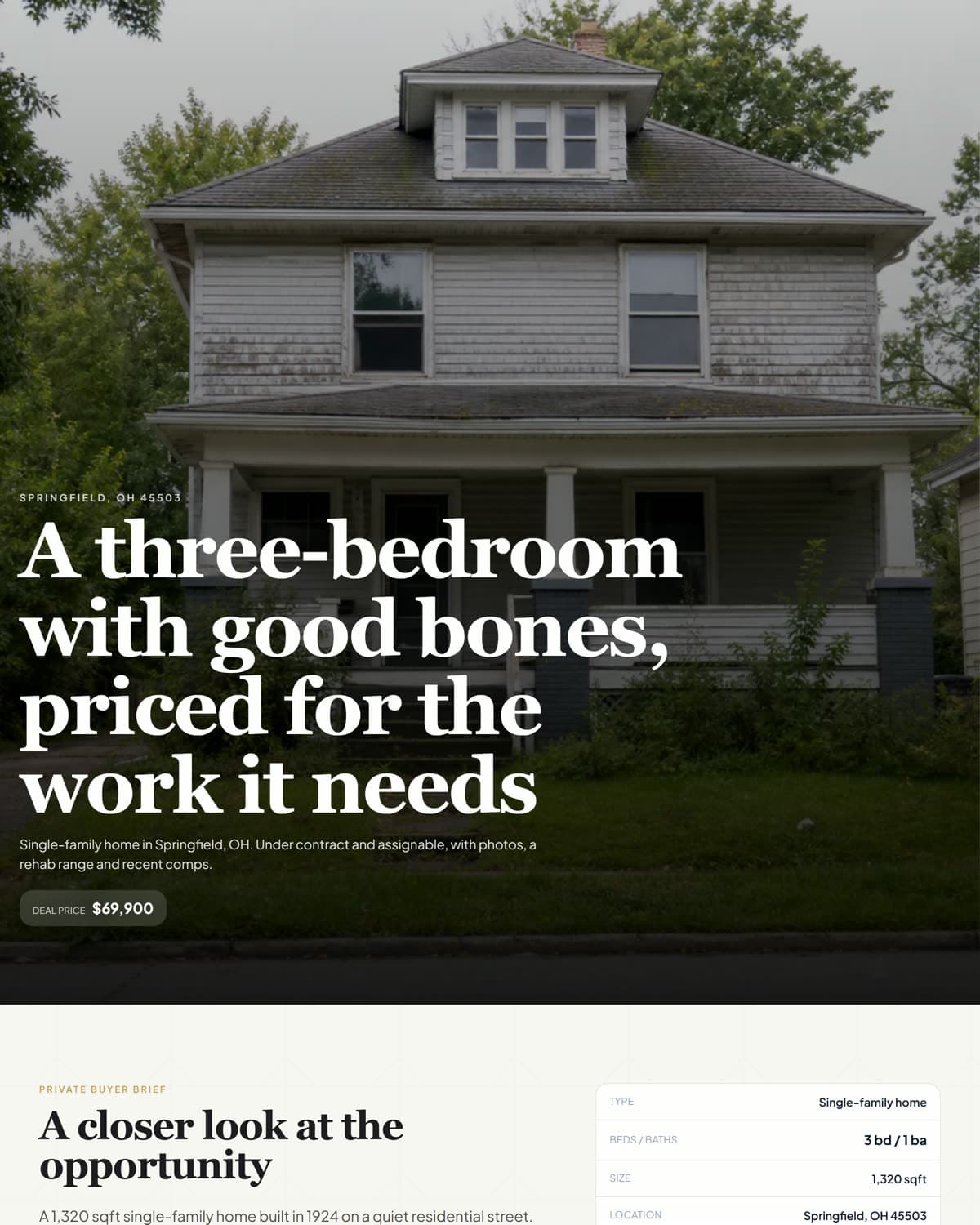
Photo-led, for a house whose pictures carry the deal.
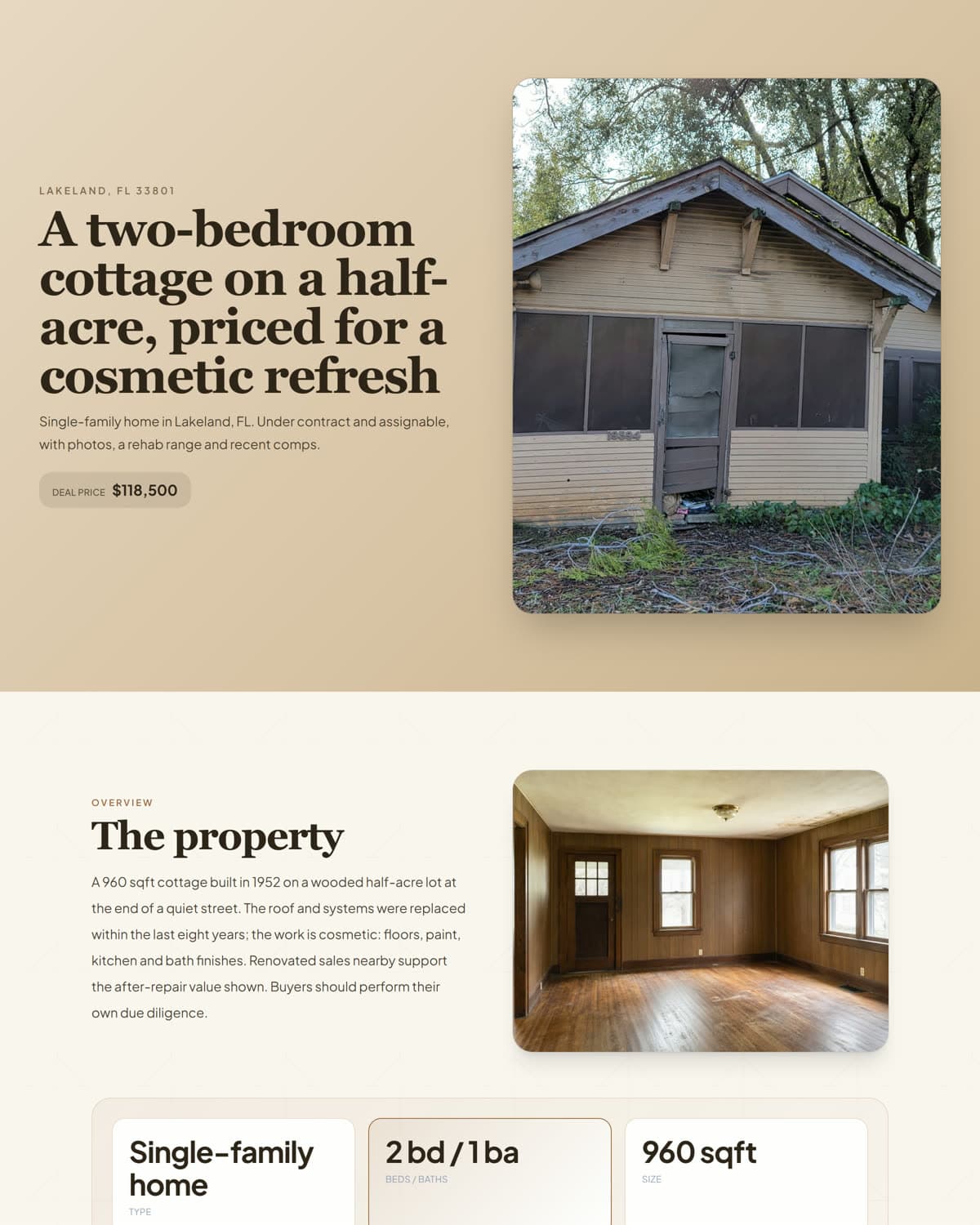
Photos and story side by side, with room to breathe.
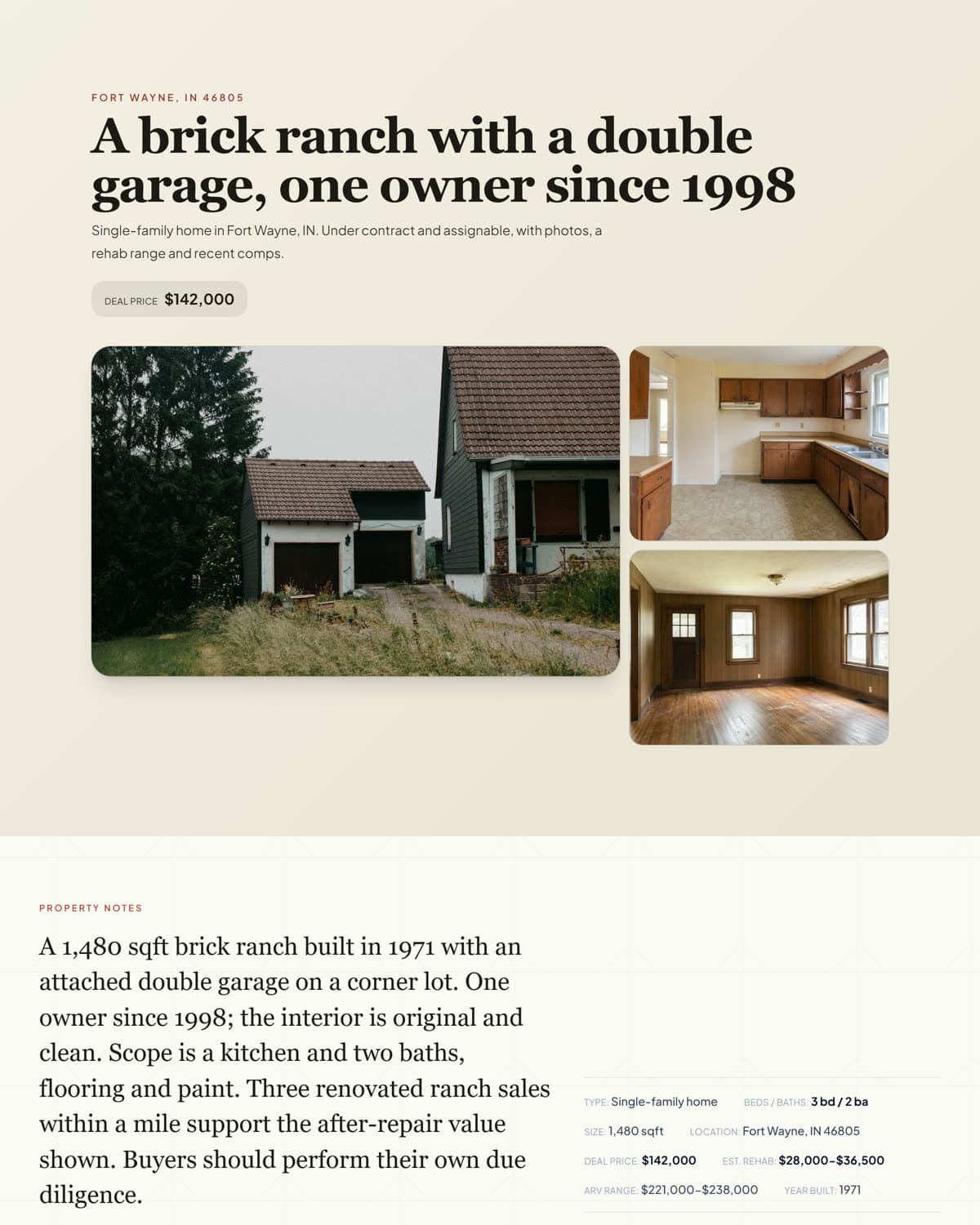
A compact brief, then the photos, for a well-documented house.
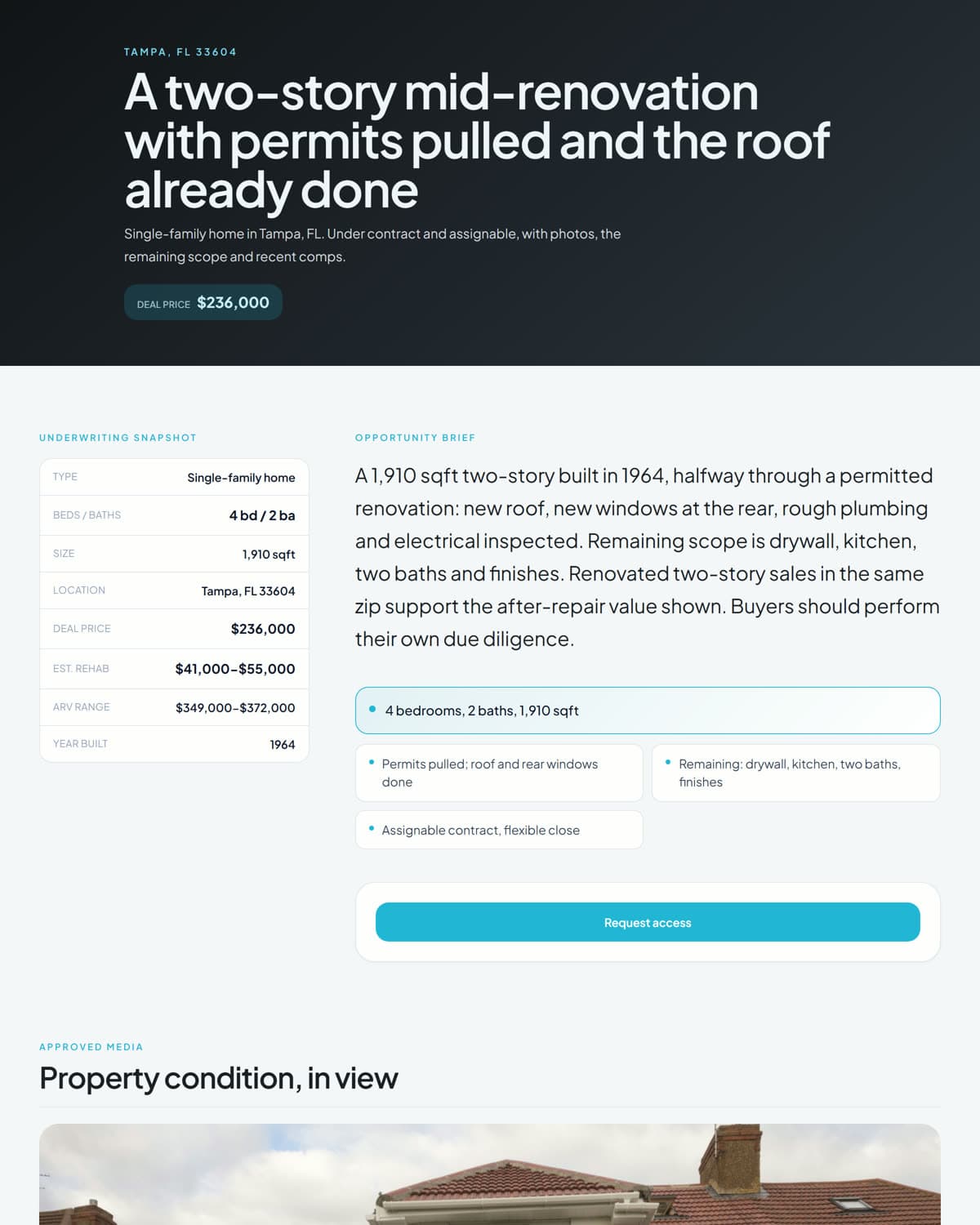
Facts first, for a numbers-first buyer.
What comes back to the deal
A PropShare is not a brochure that disappears into a thread. Views and clicks are counted on the deal. A buyer who asks for access or submits proof of funds shows up on the deal with a name and a time, so the next step is a decision, not a search through your messages.
Before you publish a PropShare
Five checks that take a minute and save the awkward follow-up.
Approved photos only
The lead image and the photos on the page should be the ones you chose, not everything the runner uploaded.
One price
The buyer's number, and only that number. The seller price and your fee stay in the workspace.
Address visibility
Decide whether the page shows the street address or only the city and state before the link goes out.
The disclaimer stays
The page says it is a contract-assignment opportunity, not a listing, and that the figures are planning estimates. Leave it on.
Open it on a phone
Most buyers will. Check the headline, the photos and the request button once on a small screen.
Frequently asked questions
What is a PropShare?
PropShare is LotLine's name for the buyer page of one deal: the approved photos, the facts and one price, built from the deal and designed for the property. One link, wherever a buyer is.
Can buyers see my assignment fee or the seller's price?
No. A PropShare shows the buyer's number only. The seller price, your fee, your margin and your notes stay inside the workspace.
Can I change how a PropShare looks?
Yes. LotLine picks a layout and colour theme for the property; Regenerate design gives you another look while keeping the copy.
Where do I share the link?
Anywhere you already talk to buyers: a comment, a direct message, an email, a group. Everyone who opens it sees the same page and the same number.
Is a PropShare public?
You choose. A private link is visible to whoever has it; a teaser page shows the photos and price and gates the details behind a request; an NDA-gated page asks the buyer to agree before the details open. None of them is listed anywhere.
Sources and further reading
These links support the product context, pricing, or workflow distinctions discussed above. Competitor details should be rechecked before purchase because plans change.
- PropShare on the LotLine homepageThe four example pages, one from each layout family.
- LotLine product case studyBackground on buyer-safe packaging, secure buyer rooms and role-specific access.
Send one link, not the same folder again
Approve the deal, publish the PropShare, paste the link. The buyer sees the price and the property; you see who looked.